Flip Book
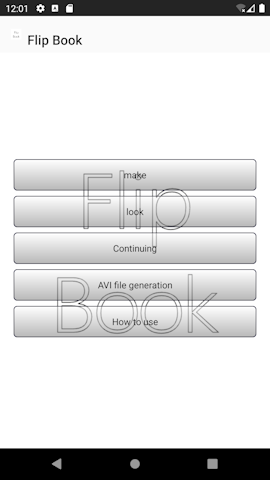
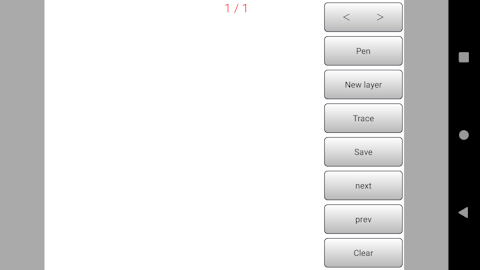
■Introduction This "Flip Book" is an application dedicated to creating extremely simple flipbook comics. Supports only 640 × 480, supports up to 999 frames ①This is the first screen of the application.
|
|
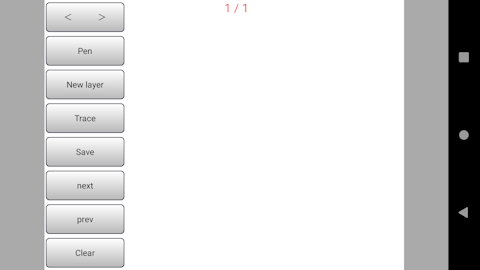
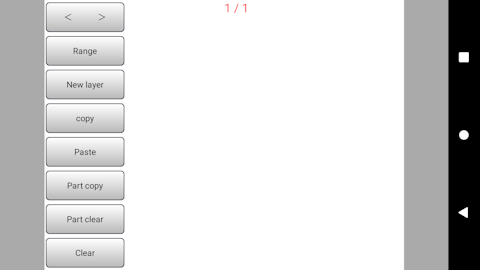
■make ②button group < > You can move the button group left and right. pen Each tap switches between pen and eraser. new layer Save the current page and move to the next layer. Long press to insert a new image on the current page. trace Copy with light ink. Long press to cancel tracing save Save the current page. Long press to paste if there is a copy Next Go to next page Prev Go to previous page clear Clear the screen. Long press to delete the screen. ③Mode change Long press the "pen" button to change the mode. After mode change You can specify the range to copy (partial copy) by swiping on the screen. (It will be surrounded by a red frame) copy Copy of display screen paste Paste on display screen part copy When you tap the button, the specified range will turn green, so please tap within the frame. Copying is complete when the frame disappears. The copied image will be pasted at the location where you tap the screen. rotate If you partially copy and tap the range button at the green frame point, it will switch to rotation mode and rotate by dragging left and right. (The center of the frame will be the rotation axis.) part clear Clearing copied images To return to normal mode, press and hold the "Range" button. ④The button group has been moved to the right Move with < > ⑤How the buttons are deleted Long press anywhere other than canvas to switch
|
|
|
|
■look Select and tap the video you want to watch from the list. If you want to delete it, press and hold on the list.
■continuation
■Generate AVI file
■in conclusion |
Copyright (C) 2024 makinosoft.