VoiceSpeedometer
|
■Introduction This "VoiceSpeedometer" is an app that tells you the speed using voice. Since the speed is measured using GPS, there may be errors and time differences. If you are having trouble finding satellites, using a GPS correction app will make it easier to find them. ①Before starting gps Once the GPS is ready for use and is displayed as good, you can start continuous measurement and measure speed. 
|
|
②After starting gps When you tap the start button, it will notify you of your speed at set intervals. When you tap the speed button, it will tell you the speed at that point. 
|
|
■setting ③Settings screen interval You can set the speed measurement interval. time Continuous measurement time can be set. 0 km vocalization If unchecked, no sound will be emitted at 0 km. 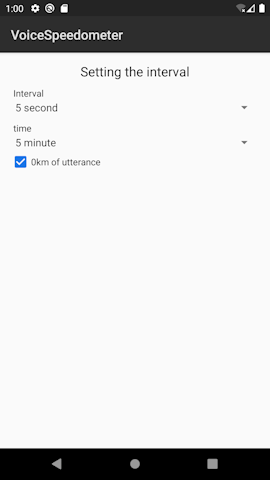
|
|
■in conclusion You can check the speed by voice, so there may be new ways to use it! |