Denkou Wireless LAN
|
■Introduction This "Denkou Wireless LAN" is an application that allows you to send messages via wireless LAN. Use two devices and set one to Send and the other to Denkou. You can also send by voice input. You can change the LED color and scroll speed. ①This is the first screen of the application.

|
|
■Send ② Enter the IP address displayed in the red circle in photo ④ on the lightning side into the red circle IP address. When you tap the connection button, "Connect" will be displayed on the lightning side. The connection is now complete. Initial setting IP address 192.168.1.100 Enter the message you want to send in the edit box above the button and tap the Send button. You can send a fixed phrase by tapping the fixed phrase button. (To edit the fixed phrase, press and hold the fixed phrase button) Tap the voice input button ③Voice input is possible. 
|

|
■Denkou Enter the IP address displayed in the red circle as the sender's IP address. ④Once the connection is complete, the IP address will disappear. 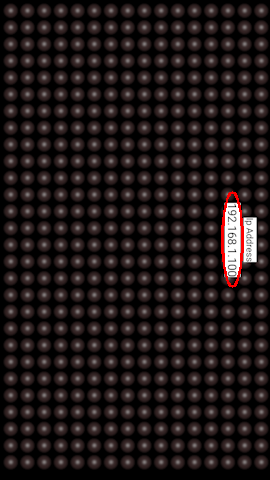
|
■in conclusion How to use it depends on your ideas I hope this app is useful to you. |